DocsPricingContact
Get the indicator
Start here
OverviewGetting started on BookmapGetting started on NinjaTrader 8
Signals
Flow decompositionThe σ readoutThe window ladderSupport & ResistanceBuy & sell linesDeep-book warningAbsorption & initiative
States & alerts
Indicator statesOn-panel flow readoutNotifications
Settings reference
Bookmap settingsNinjaTrader settingsPlatform differencesLimitations
Updates & legal
Updates, deprecation & securityTerms, patents & legal
Documentation

Getting started on NinjaTrader 8

Installation runs through the NinjaTrader 8 add-on channel, with license provisioning handled by the Stack Signal subscription. The readout panel sits at the top right of the chart rather than below it, which is the main visual difference from Bookmap.

CautionRequires a depth-of-market (L2) data subscription for each instrument you plot.
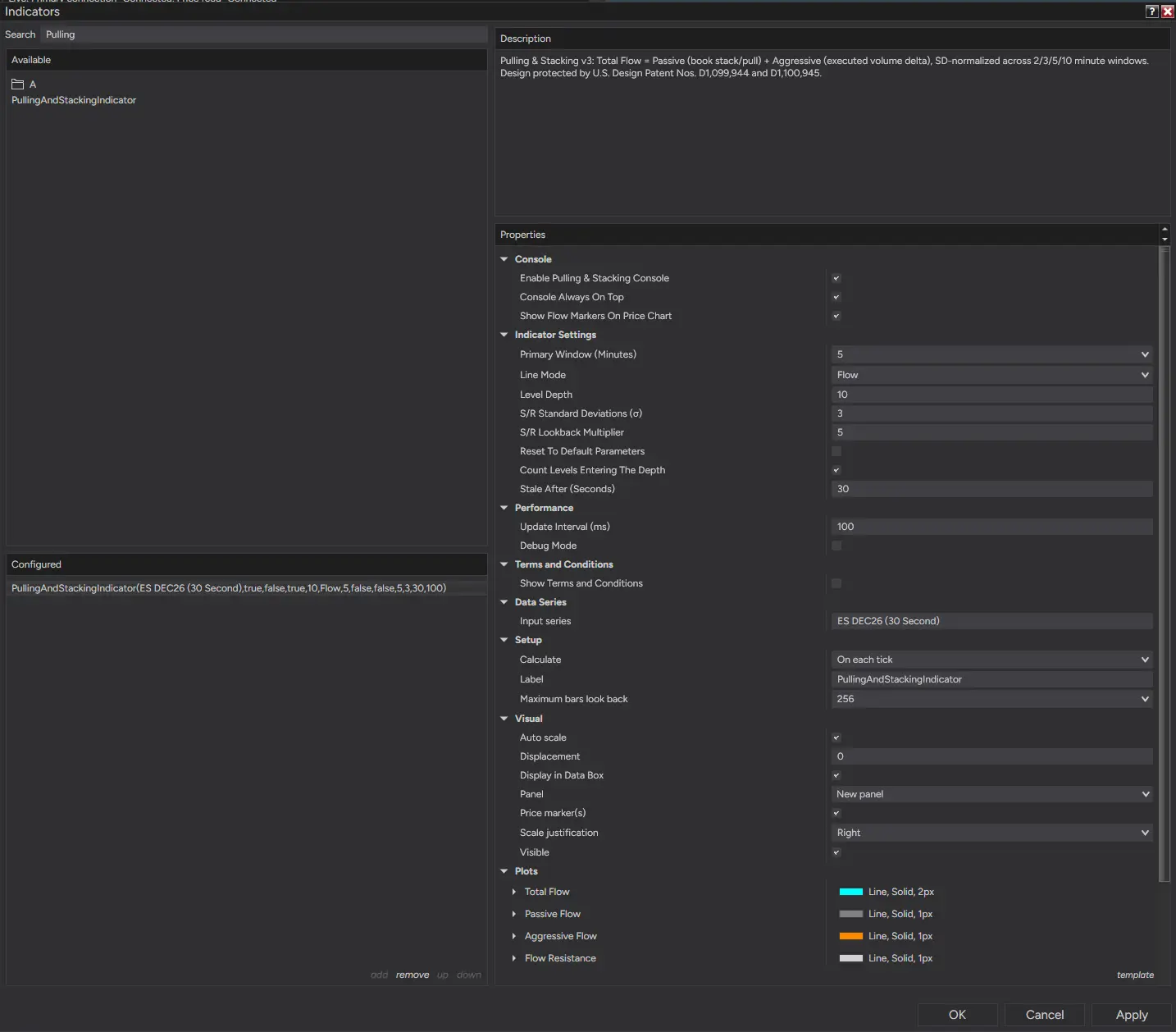
NinjaTrader 8 indicator dialog with the Pulling & Stacking Indicator added
Production noteThis page needs the real NT8 install steps — the source docs cover Bookmap in detail and NT8 by reference.

Order flow decomposed into one normalized signal. On Bookmap and NinjaTrader 8.

contact@stacksignal.com
ProductOverviewPricingGet it for BookmapGet it for NinjaTrader 8Contact
DocumentationStart hereSignalsStates & alertsSettings reference
ForWho it is forBookmapNinjaTrader 8Order-flow traders
CompareComparisonsVolume deltaVolume profileOrder-flow add-ons
LegalPatent markingPrivacy policy

Risk disclaimer. Trading futures and other leveraged products involves substantial risk of loss and is not suitable for all investors. The Pulling & Stacking Indicator is an analytical tool; it does not provide investment advice or trade recommendations, and past market behavior does not guarantee future results.

© 2026 Stack Signal — Intracor Intelligence Inc.Design protected by U.S. Design Patent Nos. D1,099,944 and D1,100,945