Engineered is now operating as Stack Signal. The team and the Pulling & Stacking Indicator are unchanged.
The Pulling & Stacking Indicator by Stack Signal
See the order book change, event by event.
The Pulling & Stacking Indicator by Stack Signal decomposes the raw order flow (every resting order stacked or pulled, every aggressive execution) into one normalized signal you can read at a glance. For Bookmap, MotiveWave and Sierra Chart. See what changed from version 2 to version 3.
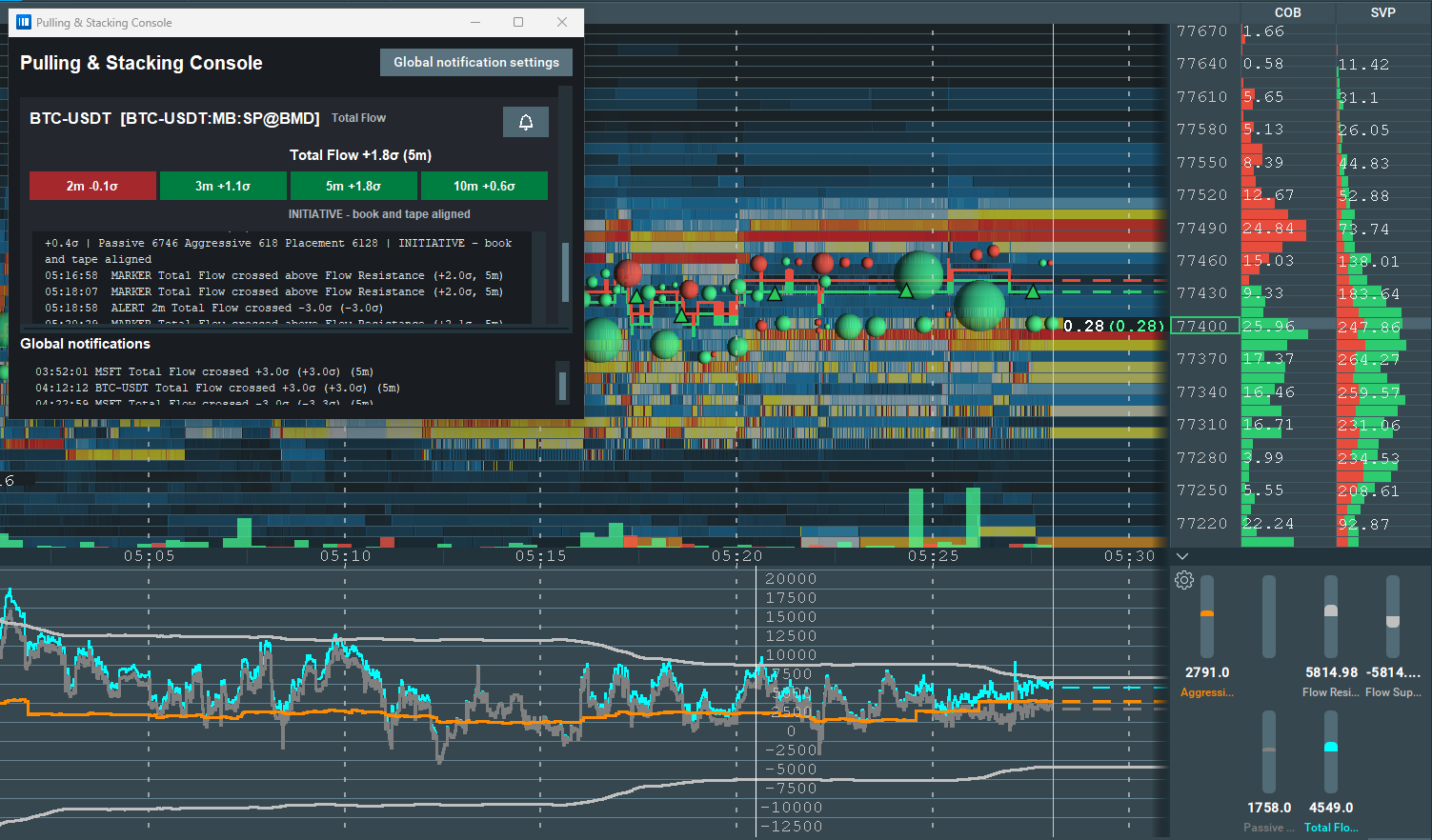
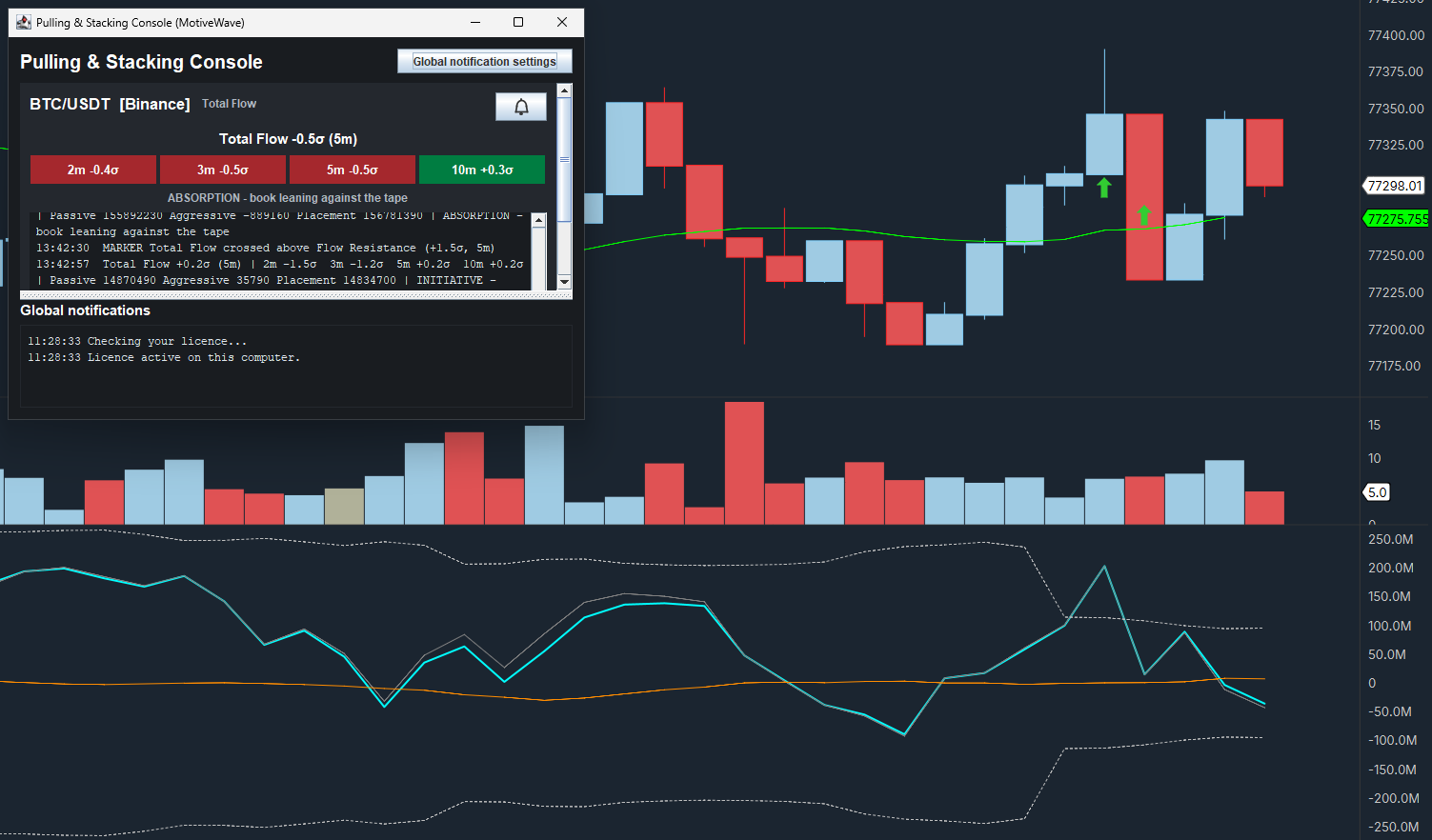
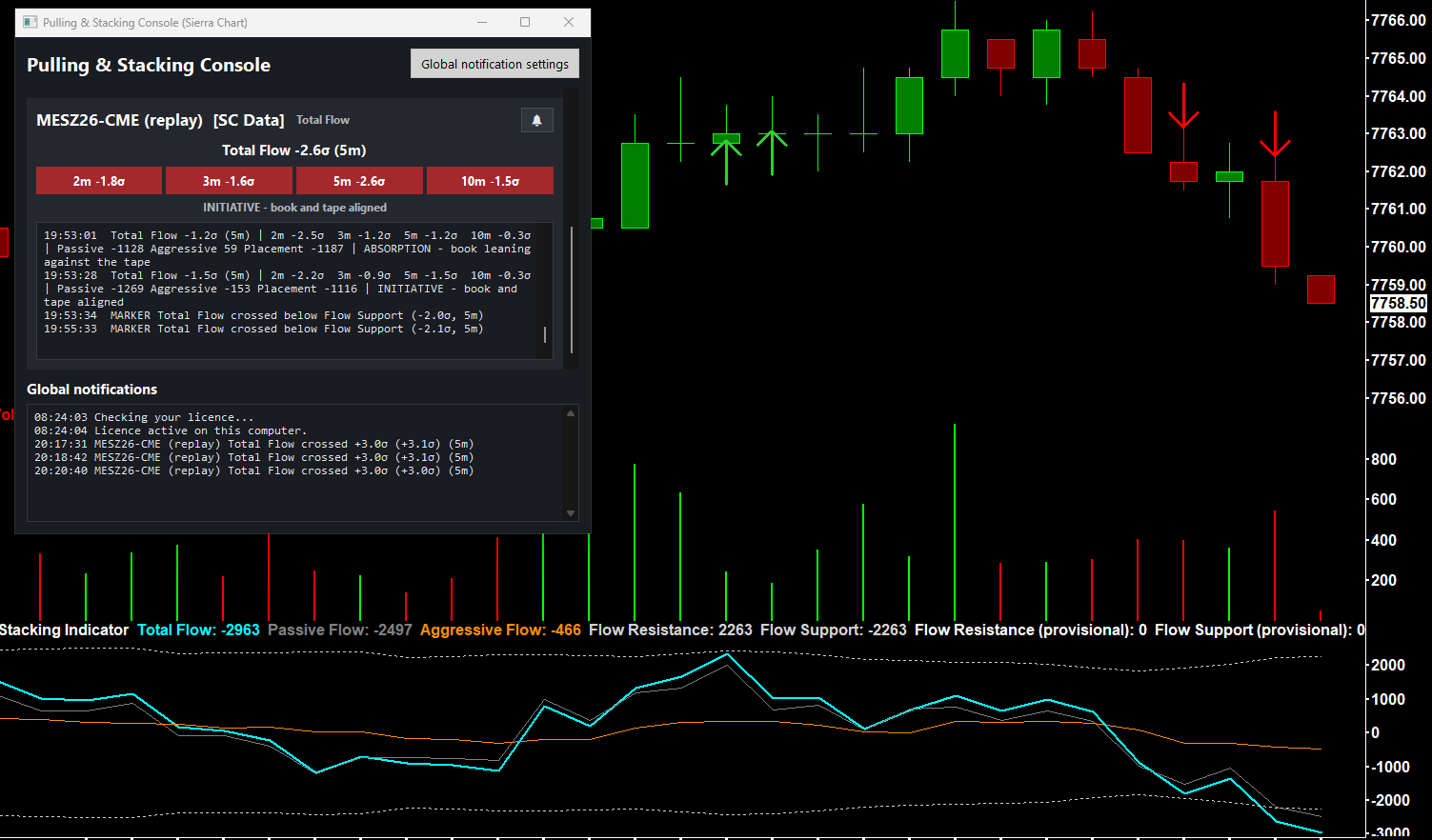
A technical indicator based on order flow
Raw volume tells you what was already traded. Flow shows what the order book is doing now: liquidity stacking up at a level, or quietly pulling away from it. We find that useful context next to price; it is not a forecast.
One signal, two components
Every order-book update the platform provides is decomposed exactly, without smoothing or filtering.
Total Flow
Passive book changes plus aggressive executions: the headline.
Passive Flow
Resting liquidity stacked (+) or pulled (−) across the book.
Aggressive Flow
Executed volume delta (buys − sells), the classic tape delta.
Total Order Flow = Passive + Aggressive
Exact on every event. New in 3.0: Placement Flow, which is Passive minus Aggressive, the orders placed and cancelled with executions taken out.
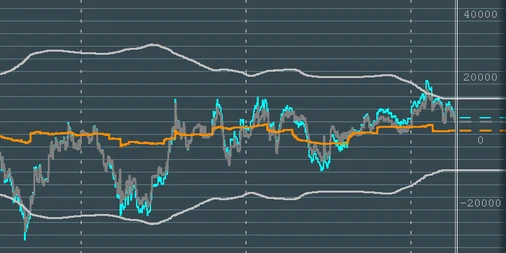
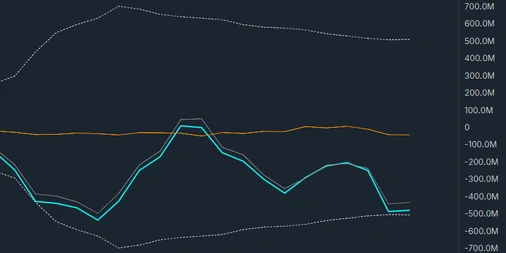
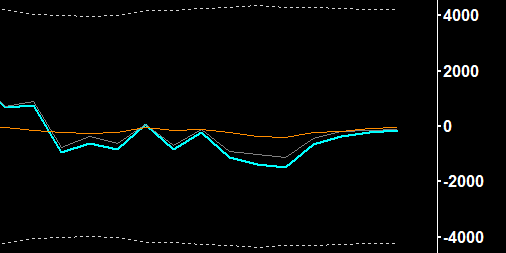
The order flow signals you get
The sigma (σ) readout: order flow in a unit that compares across markets
Raw order flow in contracts is meaningless across symbols and sessions. σ measures flow against its own recent range, so the same scale applies on any instrument with an order book, without per-symbol settings. The defaults are a starting point. Instruments differ in pace and book depth, so adjust the window, depth and band to suit the market you trade.
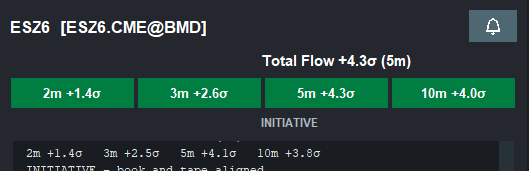
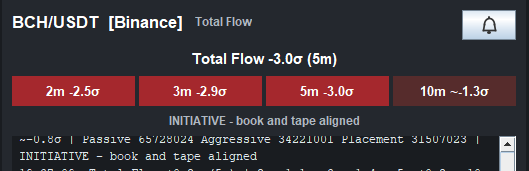
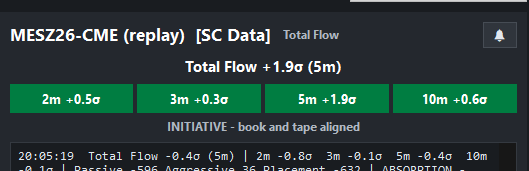
The multi-window ladder: burst or campaign?
Four windows (2 / 3 / 5 / 10 minutes), side by side, each coloured by what the reading means: green when bullish, red when bearish. A spike in the 2-minute cell that the 10-minute cell ignores is a burst. All four cells lit the same colour is a campaign. In our view, persistent vs. transient is the distinction that matters, and the ladder shows it at a glance.



Support & Resistance bands: when flow is stretched
The ±3σ band of the line you trade from (Total Flow by default, or Passive or Placement Flow), sized from that line, drawn as Resistance (upper) and Support (lower) lines. Flow tagging the band is statistically stretched against the last 25 to 50 minutes of its own behaviour, context you would otherwise have to keep in your head.
Bands are context, not trade calls.
Independent buy & sell lines: see both sides
Watch buy-side and sell-side flow as separate lines instead of only their net. One side going vertical while the other flatlines is a very different market than both rising together, and the net alone can’t tell you which.
Choose the Buy / Sell line mode to plot the two sides as they are or with executions taken out.
The deep-book warning: top of book fighting the deep book
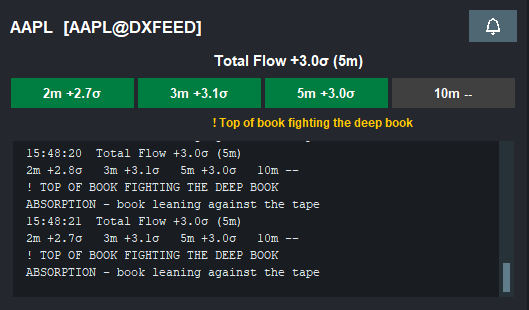
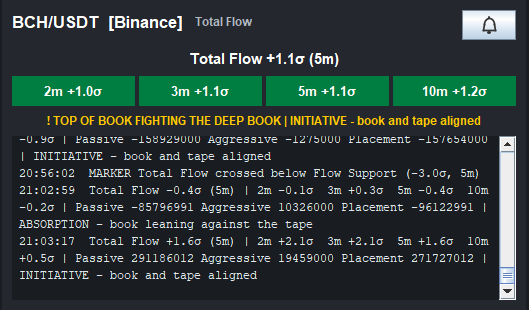
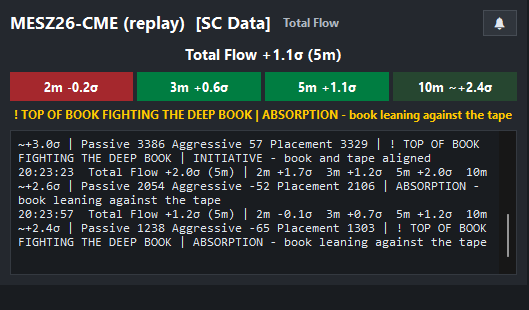
When the top of the book and the deeper book disagree, the indicator shows a deep-book warning. Treat it as a reason for caution rather than a signal. The indicator computes the signal twice, at depth 1 and depth 10, and warns when they fight. It is a caution flag, deliberately not an entry arrow, and a top-of-book-only tool cannot compute it.
Absorption vs. initiative: book against tape
When the book stacks bids while the tape sells into them, that’s absorption. When book and tape lean the same way, that’s initiative. The indicator labels the state as context, not as a signal: it shows how the book and the tape are meeting.
New in 3.0
Choose the line you trade from
Pick Total, Passive or Placement Flow as your core line. The Resistance / Support band is sized from that line, and the arrows, the console and the alerts read it. Change it at any time; the band follows.
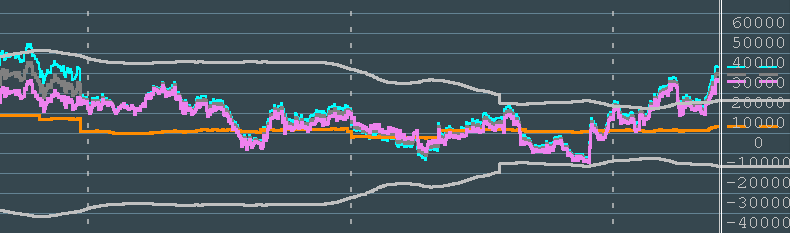
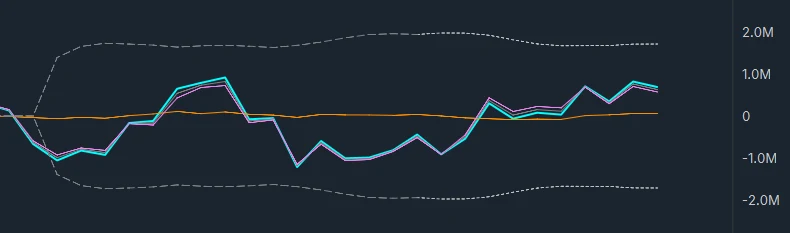
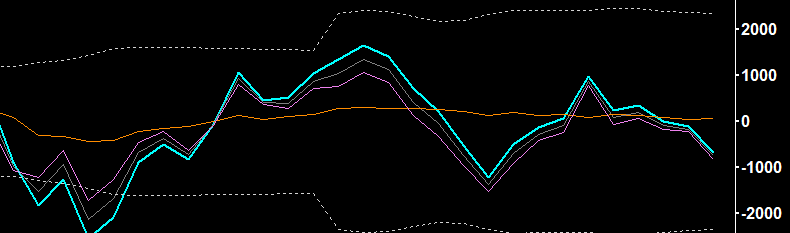
Arrows on the price chart
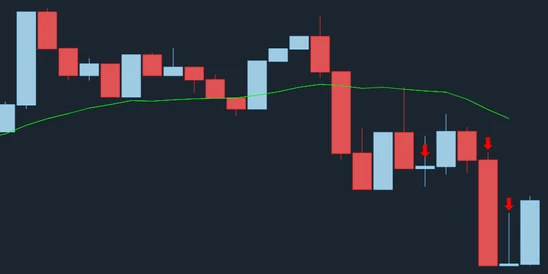
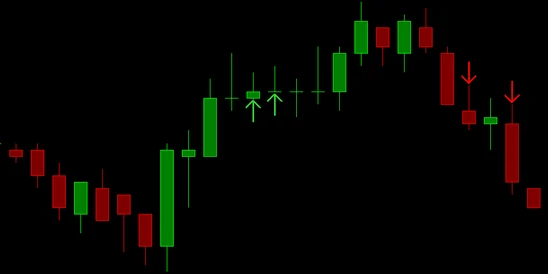
When the line you trade from crosses outside its own band, an arrow marks it at the price: green pointing up, below the price, when the crossing is bullish, and red pointing down, above it, when it is bearish. A note is added to the console, with the reading in sigma.
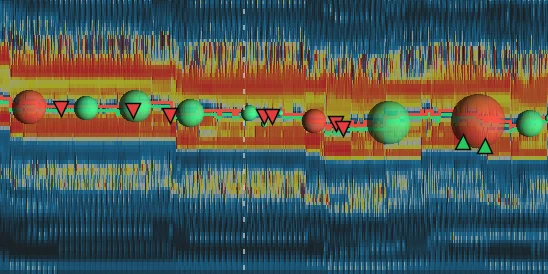
One console for every instrument
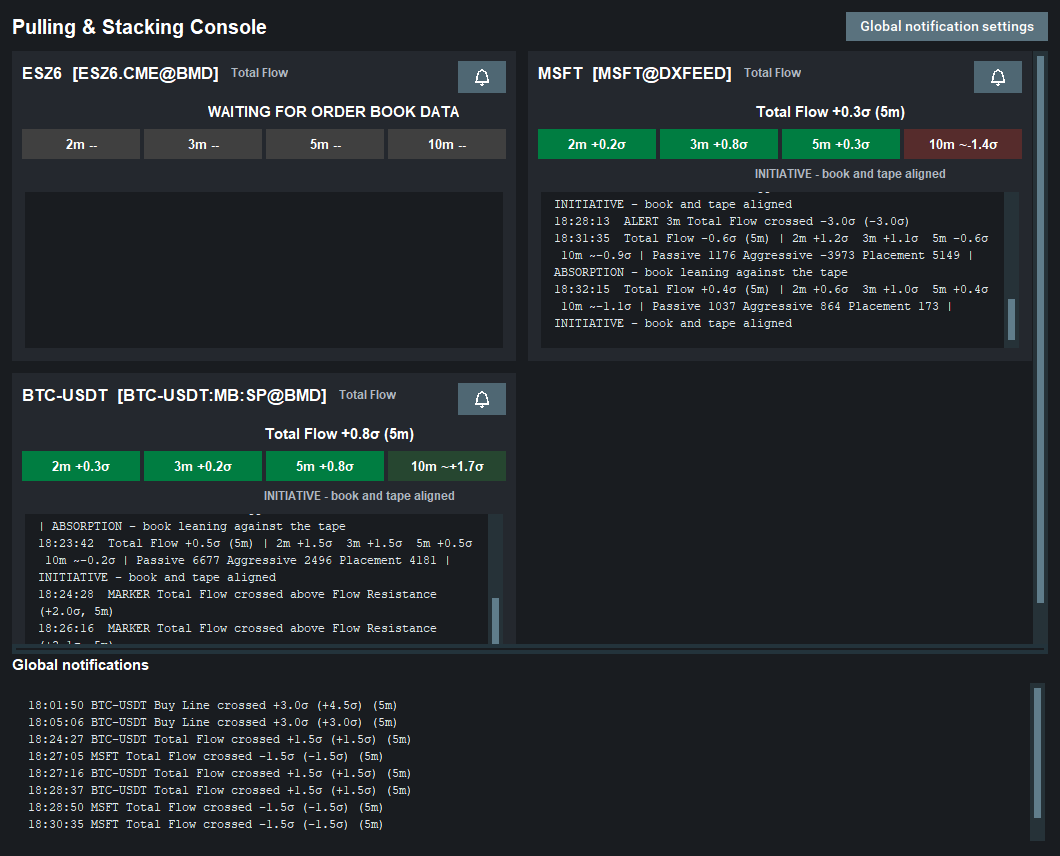
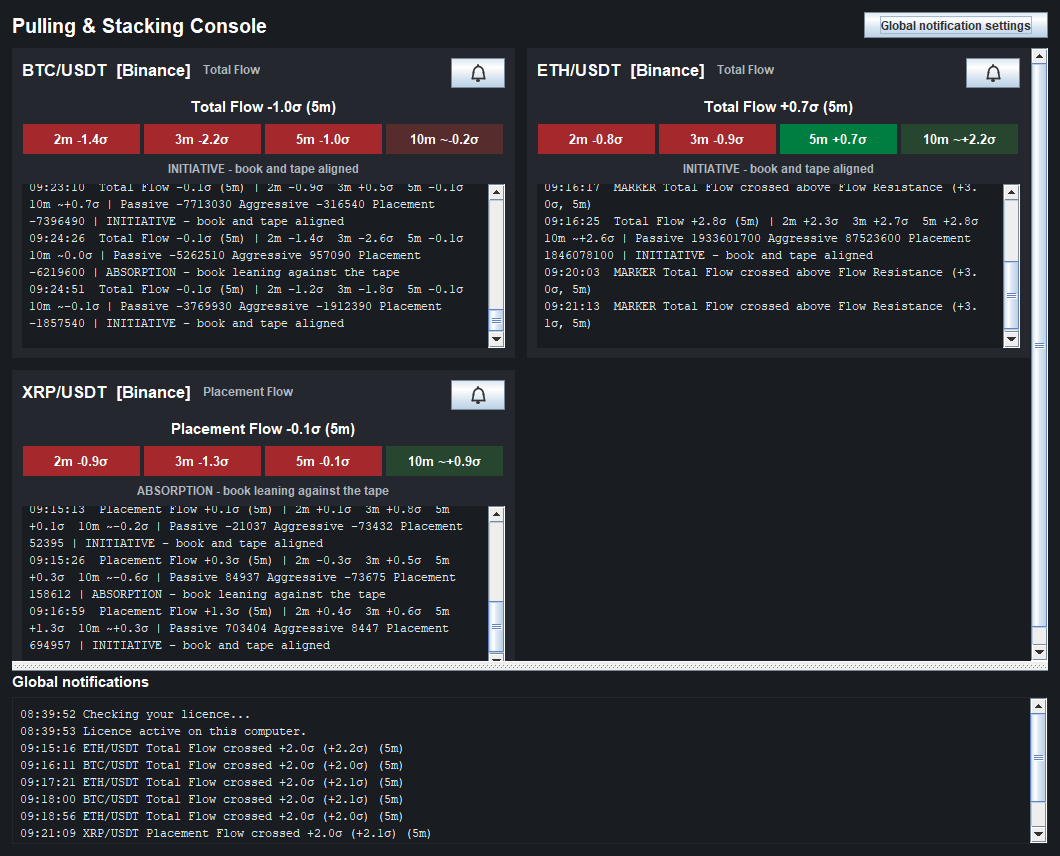
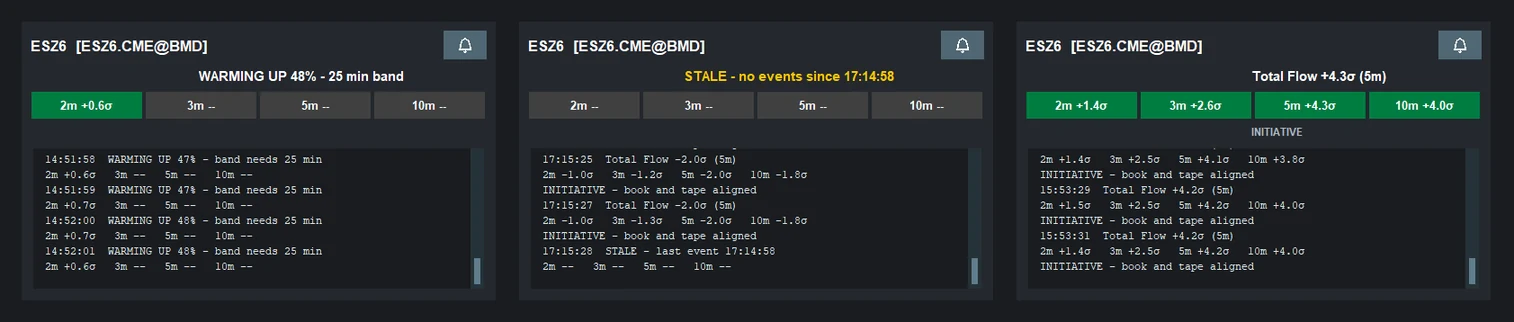
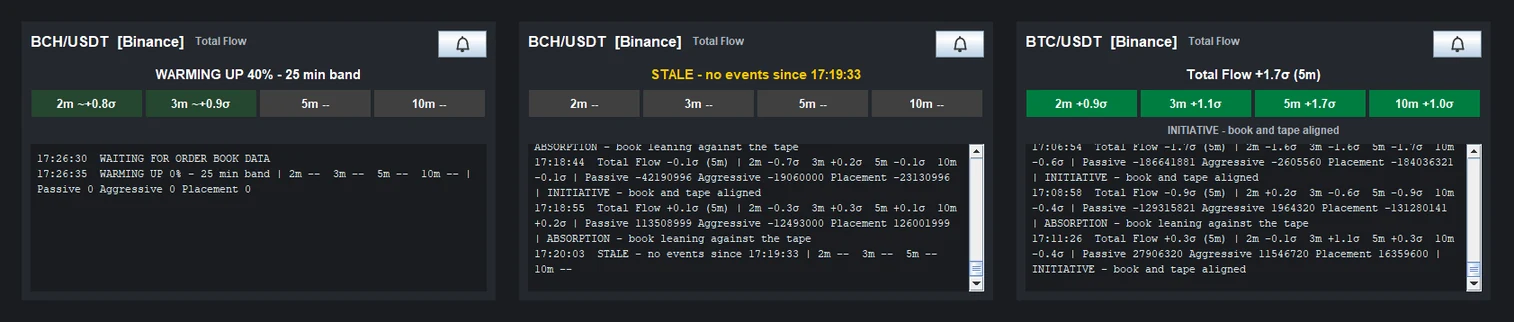
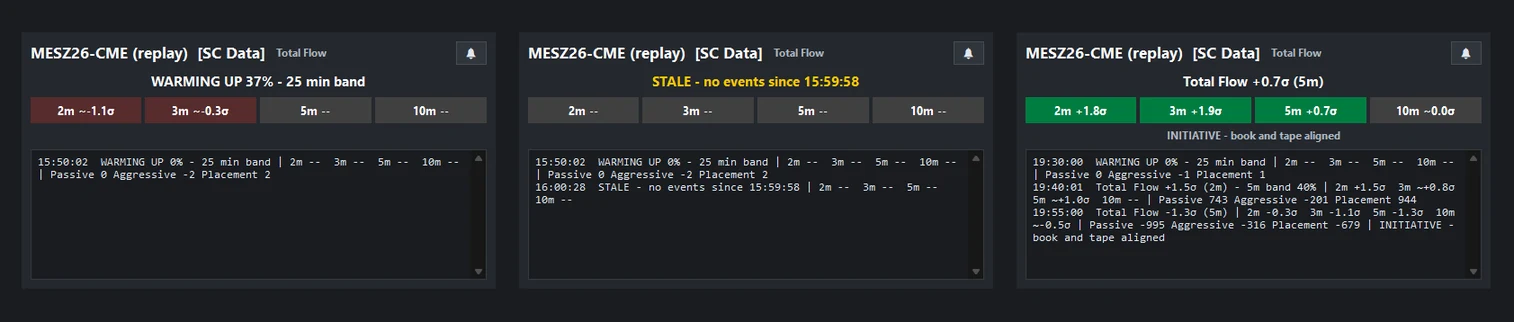
Every instrument the indicator is loaded on, in one window: the headline, the four-window ladder, the state of the book against the tape, a log that adds a line when that state changes, per-instrument alerts and global notifications. Each tile names the line it is reading.
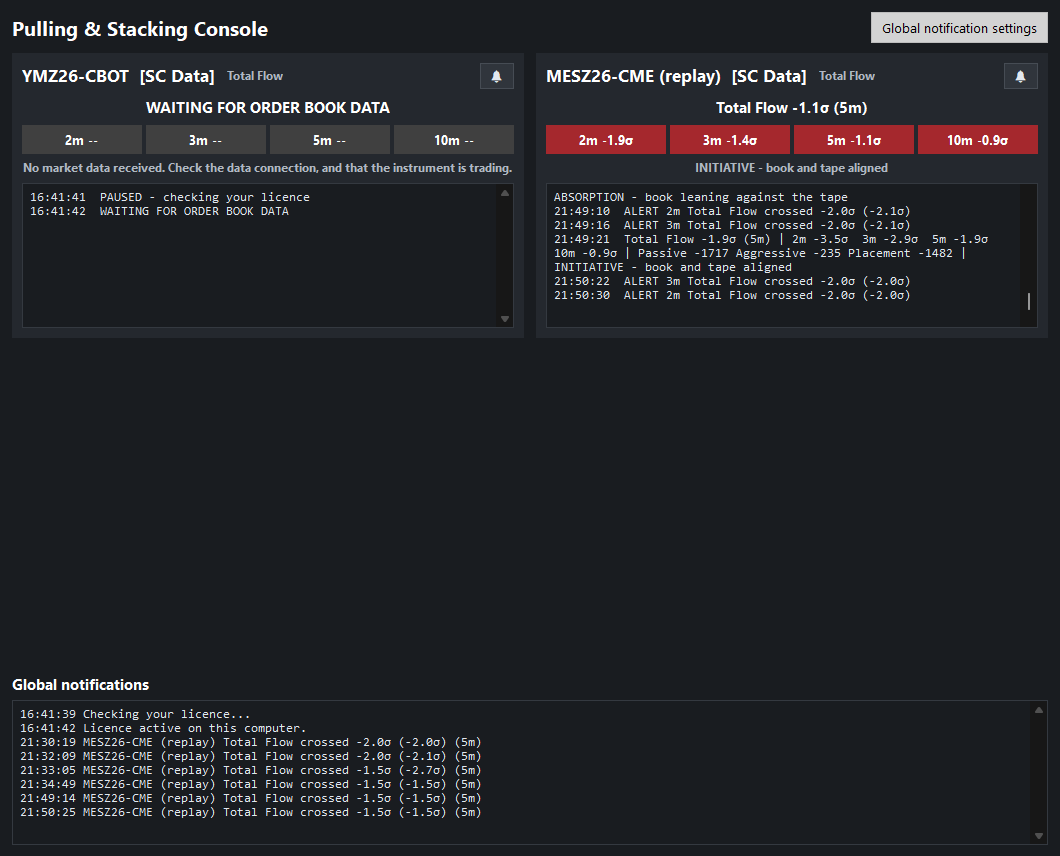
Absorption and initiative
Under the window ladder, each console tile carries a context line that names how the order book and the tape are meeting. ABSORPTION means the book is leaning against the tape: orders keep stacking on the side the trades are hitting. INITIATIVE means the tape is pushing through the book, with both leaning the same way. It is a labelled state you may find useful as context, not a signal.
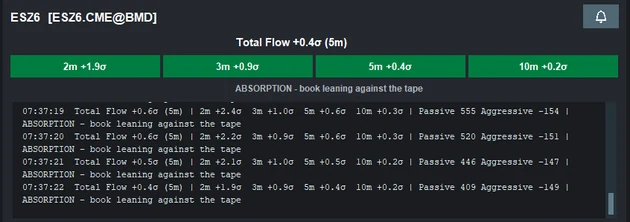
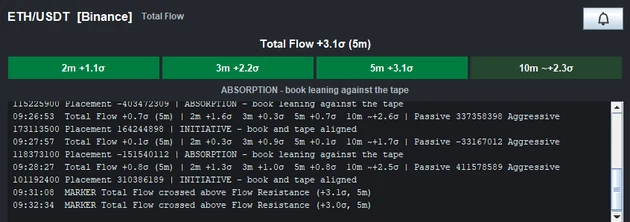
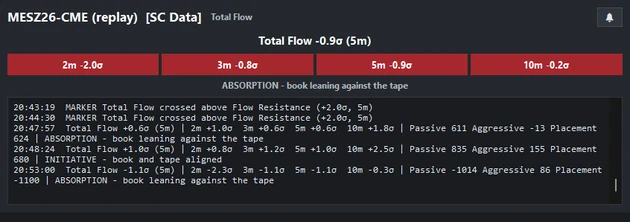
Chart images. The chart images on this site show the indicator's display on market data, to explain what it draws. They are not trading results or trade recommendations, and the risk and hypothetical performance disclosures above apply to them. We publish no trading performance. The full text is on the disclosures page.
It tells you when it doesn’t know
When the indicator does not have a complete reading, it says so.
WARMING UP 62%, band needs 25 min
Until the statistical band is fully seeded, the indicator says so: it shows a clear state instead of a misleading line.
STALE, last event 09:41:07
A dead data feed can look like quiet flow. The indicator greys out the reading and shows the time of the last event.
Never smoothed, never filtered
The indicator reflects the raw stream. The only redraws are ones you trigger by changing a setting, and the docs list them.
Yes. The indicator measures the order book itself, so a depth feed is required.